Take Full Control of Your Smart Home
Control your TP-Link Tapo devices from your Windows computer. Modern interface, real-time control and advanced features to elevate your smart home experience to the next level.
This application is developed by independent developers and has no official affiliation with TP-Link or Tapo brand.
💾 Download TAPOWIN v1.1.1⚠️ Important Security Information
TAPOWIN is a Tapo device management application I developed for my own use. Since TP-Link doesn't provide a Windows application for their Tapo devices, I decided to compile and share this tool for everyone to use. As this is a non-profit project, I haven't obtained a code signing certificate for the application.
Due to the lack of digital signature, your system may flag this as a potential virus or suspicious software. This is a false positive - the application is completely safe.
If you want to support me: You can help by clicking the VirusTotal links above and marking the files as "not a virus" if they show false positives. Also, if you get antivirus warnings, please report them as false positives to help other users.
Coming Soon: The project will be published on GitHub with full source code transparency.
🔍 Network Access Information
TAPOWIN needs to scan your local network to discover Tapo devices. This may trigger security warnings from Windows Defender or your antivirus software, as network scanning can be seen as suspicious behavior.
Please allow TAPOWIN in your antivirus settings to ensure proper functionality. The application only scans your local network and never sends data to external servers.
💻 Application Details
📋 System Requirements
- Windows 10 64-bit or later
- 1GB RAM minimum
- 50MB available storage
- Local network access required
- .NET Framework 4.7.2 or later
📱 Application Screenshots
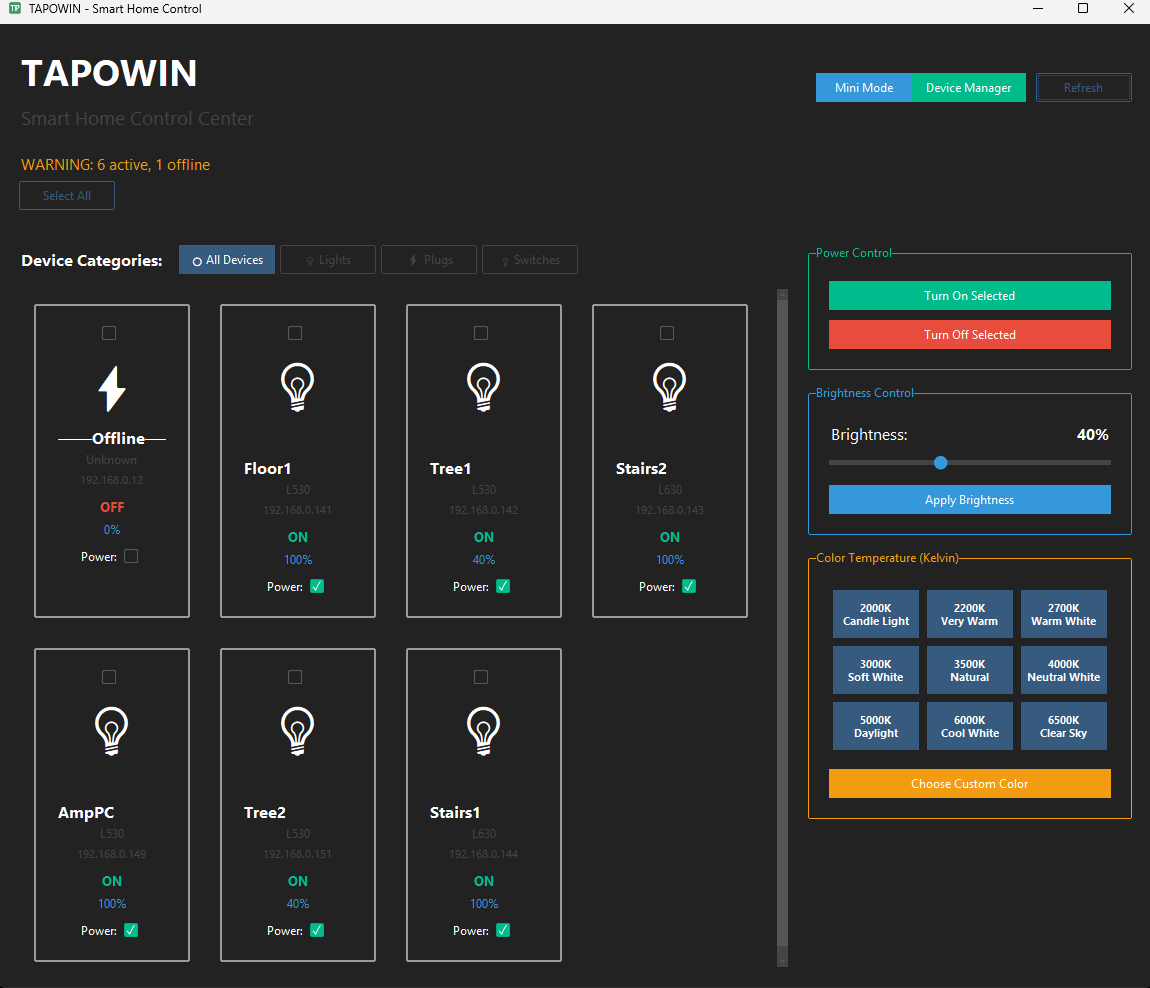
Main Interface
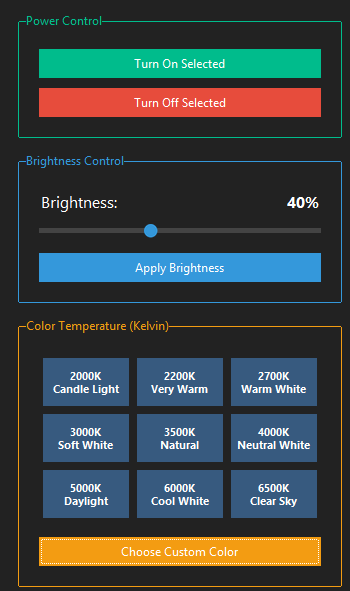
RGB Color & Brightness Control
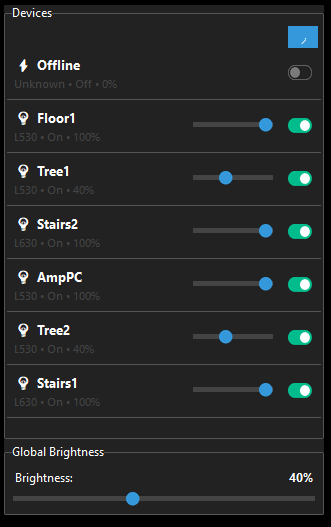
Mini Mode
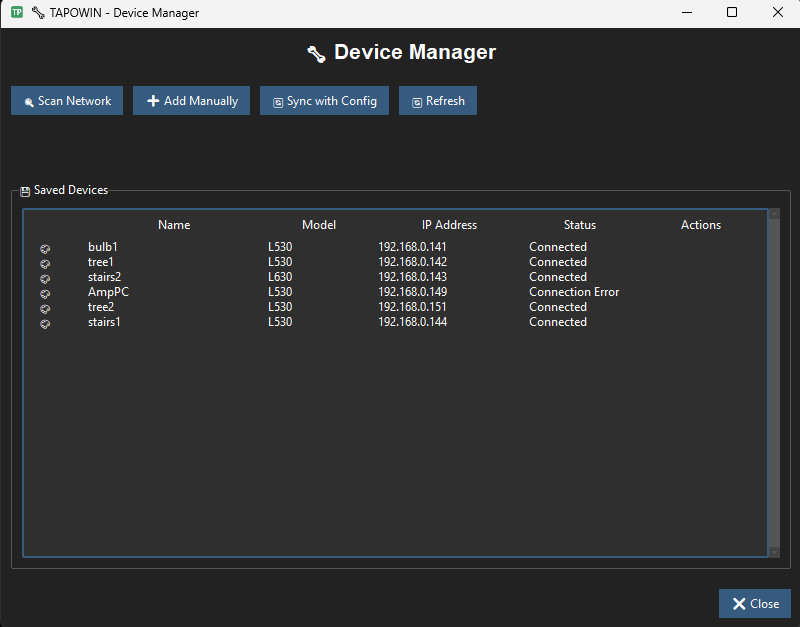
Network Scan & Device Management
📚 Open Source Libraries Used
This project is built with the following open-source libraries: